We’re live in Singapore! The wait is over. Open your Business Account today.

How do I track outbound payments on the Mobile App?

Follow these steps to track outbound payments on the Mobile App:

  1. Launch the Statrys Mobile App and log in.
  2. Navigate to the "Accounts" screen.
  3. Look for the "Transaction History" section.
  4. Click on the icon for the outgoing transfers you wish for more details, including the payment information and the payment tracking.
  5. You can copy the link to share with your payee.
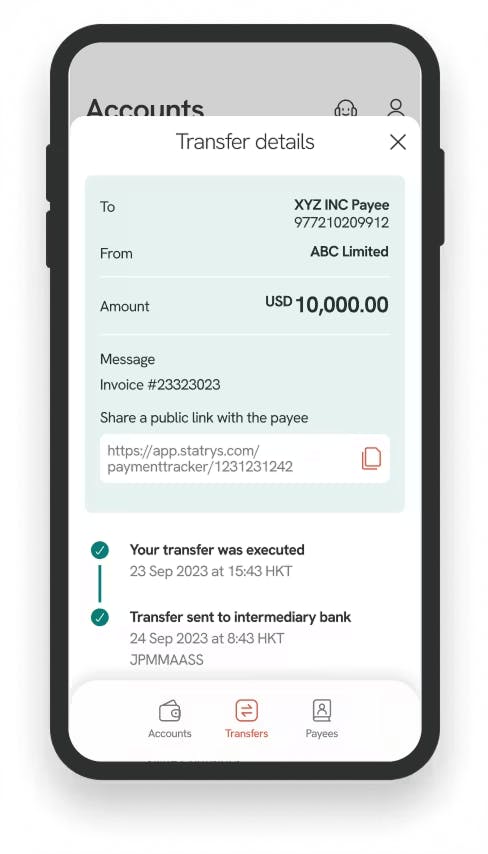
Tracking outbound payments on the mobile app

Was this article helpful?

Yes

No

Can't find what you're looking for? Talk with our team

Choose how you'd like to reach us - our team is here to help.

Get your Singapore Business
Account open in a few days

  • 100% online application

  • No account opening fee, no initial deposit

  • Real support by real people