How do I update my details?
To update your mobile number
Step 1: Log in to our platform
Step 2: Click the drop-down arrow next to your name in the upper-right corner of the platform.
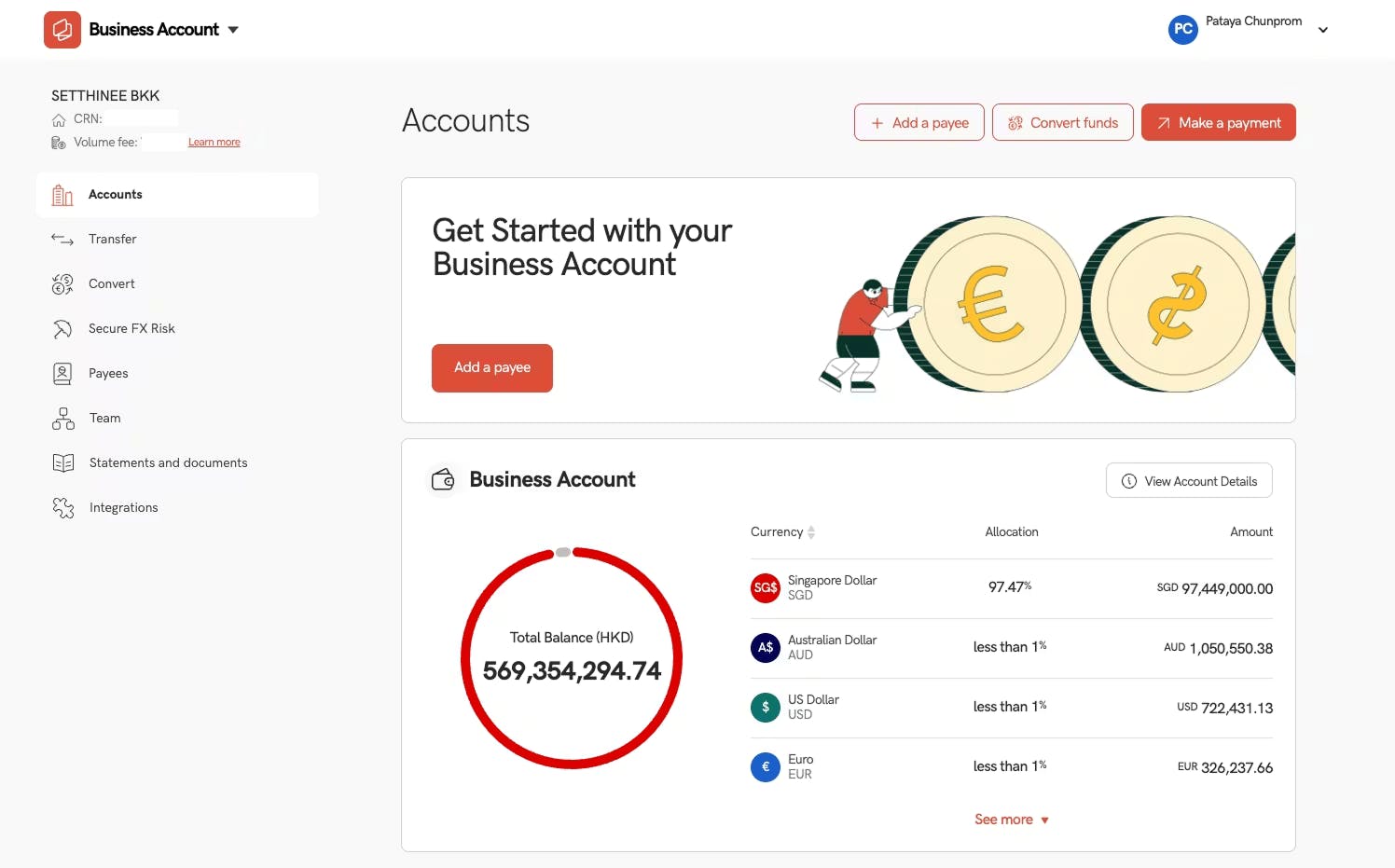
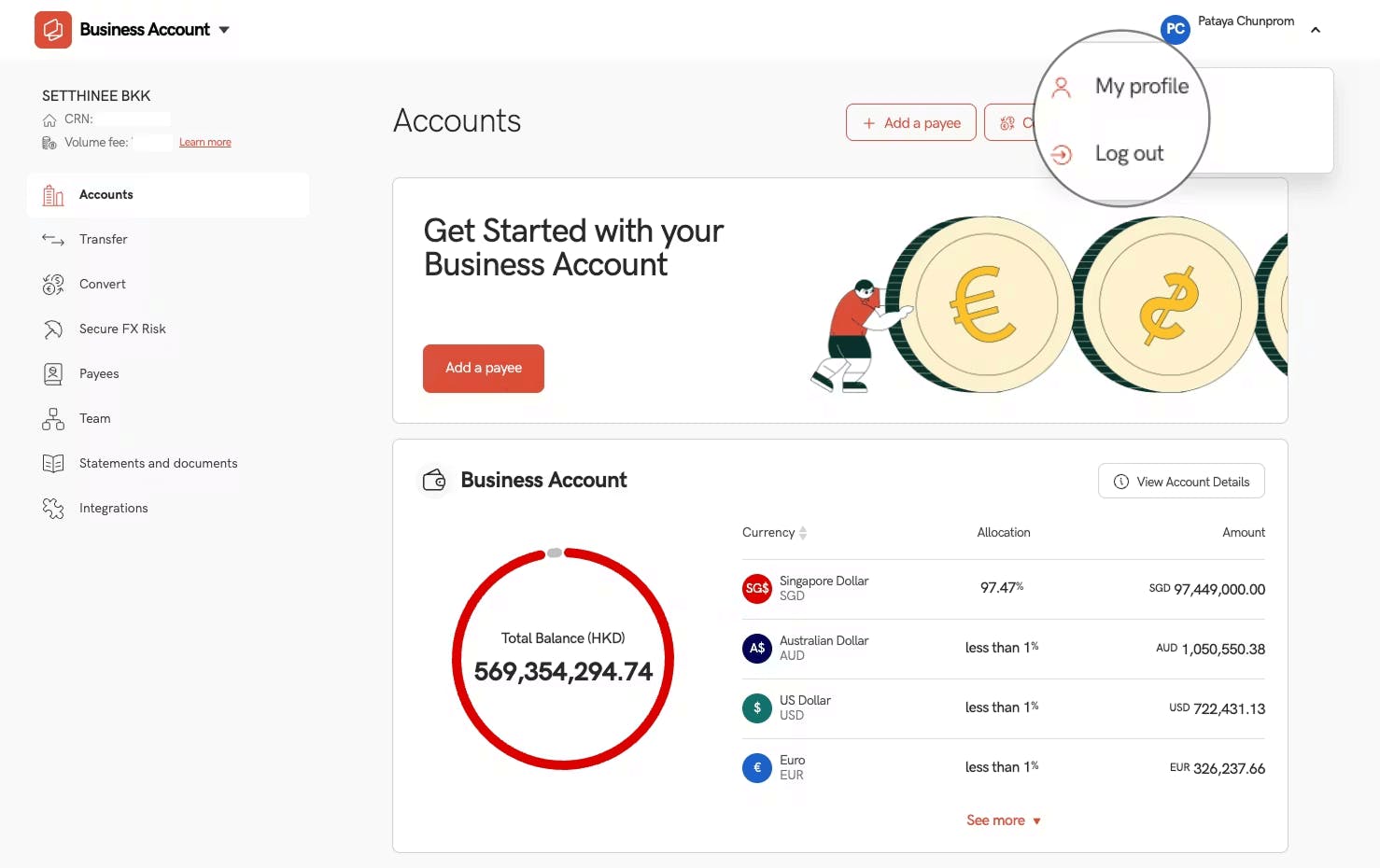
Step 3: Click My Profile
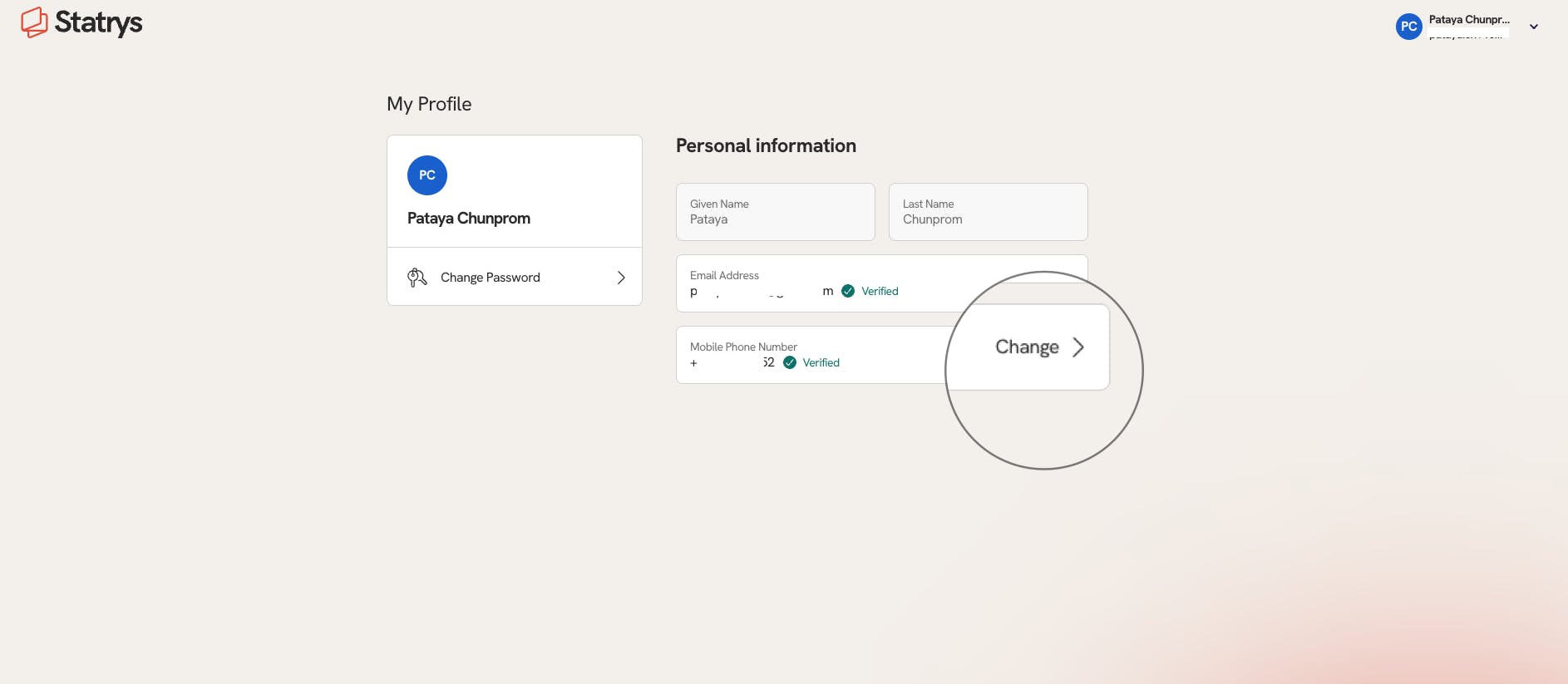
Step 4: Under Mobile Number section, click Change and enter your new phone number
To update your email address
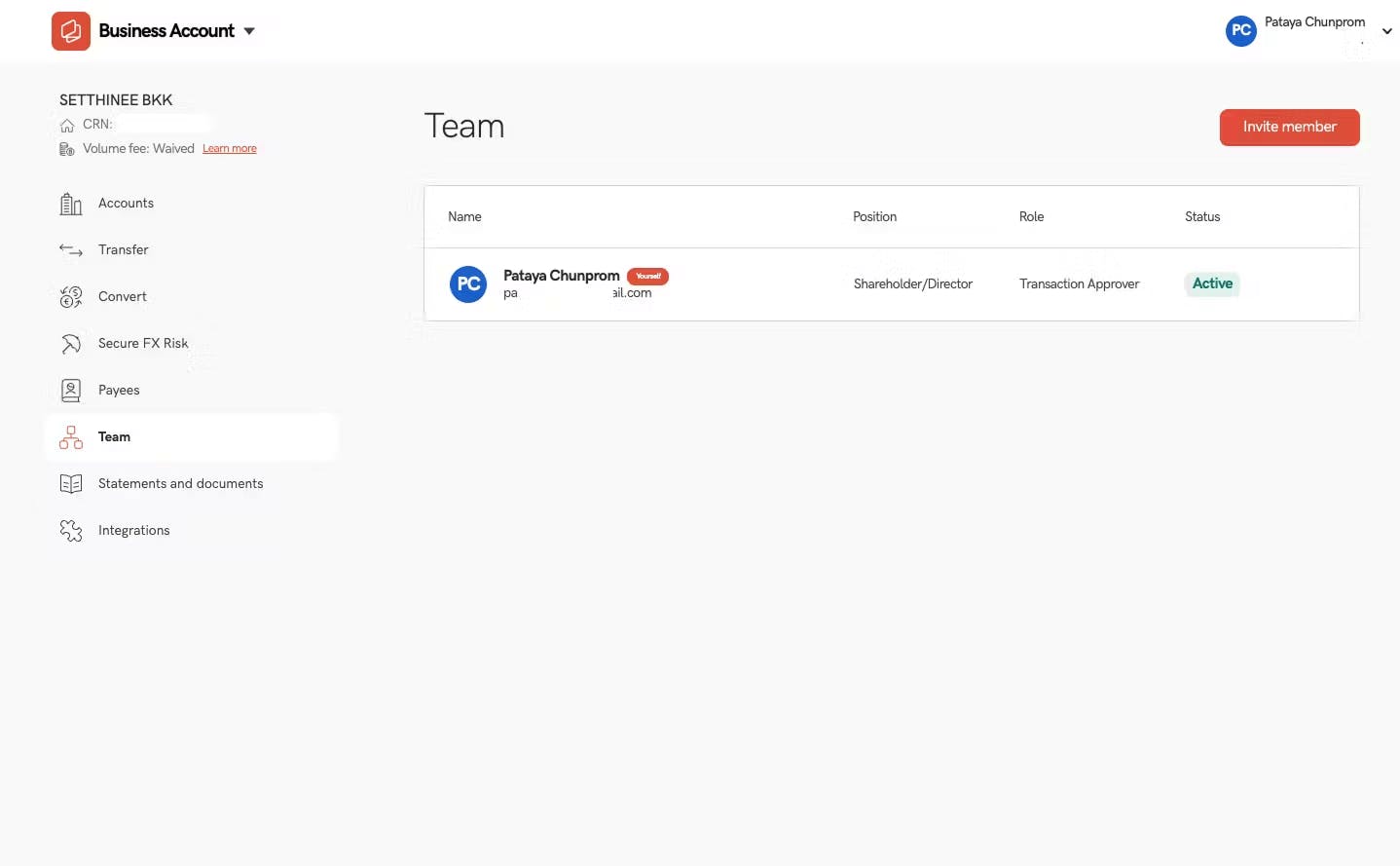
Step 1: Click ‘Team’ tab once logged in
Step 2: Click ‘Invite Member’ and add your new email address as a new user. Once the new user is approved, you can deactivate the old user associated with the previous email address.
To update your passport
Please send a colour scanned copy of your new passport to our support team at support@statrys.com. Once received, our team will verify the information and update your account accordingly.
To update your company registration document
Please send a scanned copy of your updated registration document to our support team at support@statrys.com. Our team will verify the information and update your account accordingly.