How can I download my account details as a PDF on the Mobile App?
Follow these steps to download your account details from the Mobile App:
1. Launch the Statrys Mobile App and log in.
2. Go to the "Accounts" screen from the main menu.
3. To download your account details, click on the ℹ️ icon.
4. A screen will open.
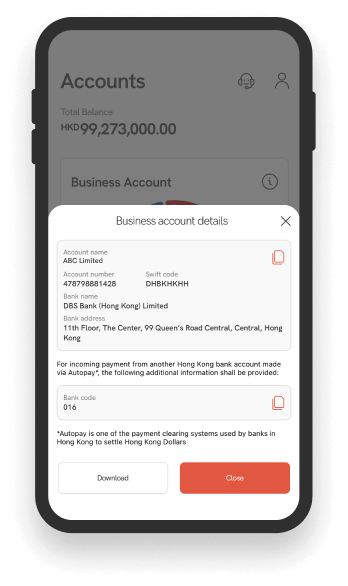
5. Click on "Download".
6. Choose where you'd like to save the PDF on your device and rename if necessary.