How Do I Make a Payment from My Statrys Account?
To initiate a payment from your Statrys account, follow these steps:
- Log in to your Statrys account.
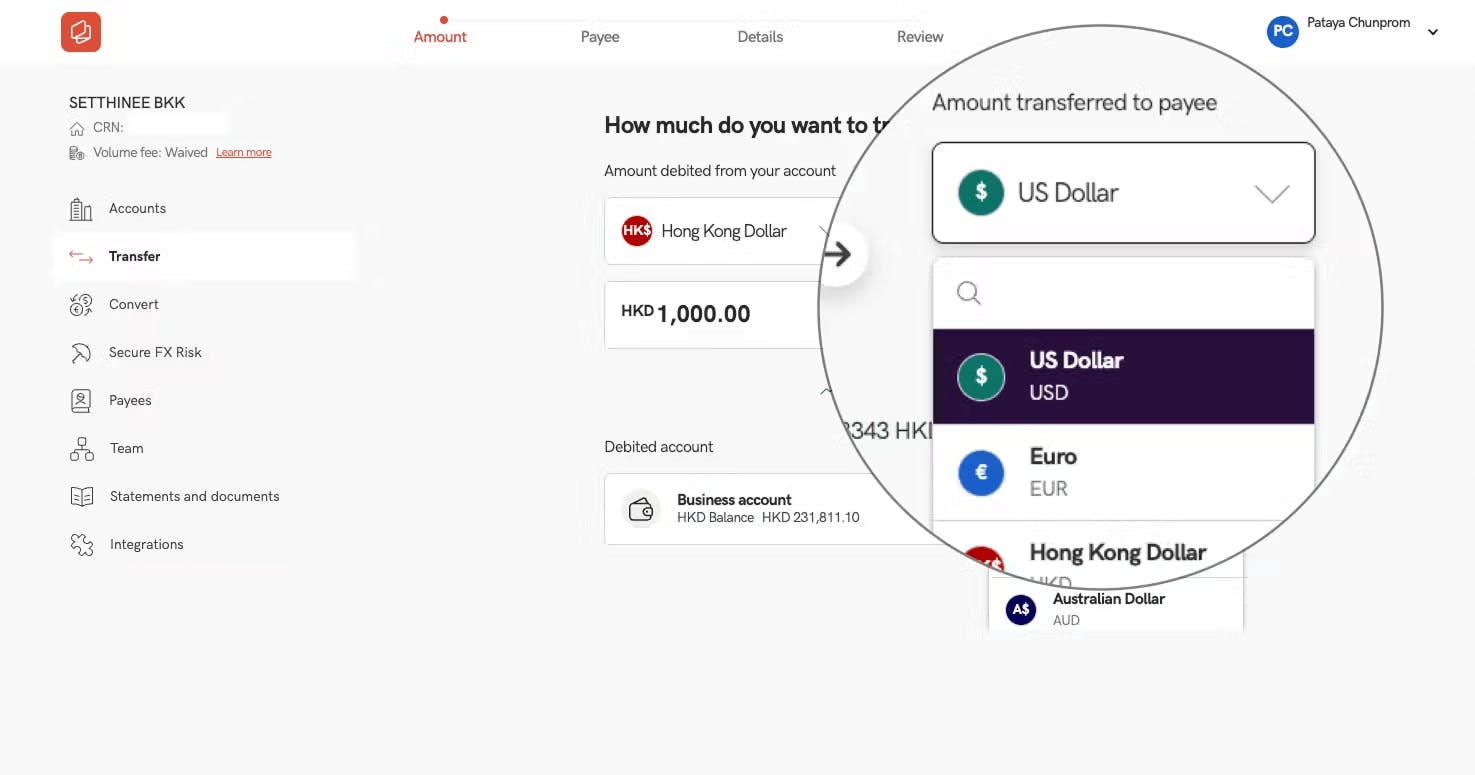
- Click on the “Transfer” tab on the left side of the dashboard

- Enter the payment details, including the amount and preferred currency.
a. If transferring in the same currency, you can process the payment immediately or schedule it for a future date.
b. For foreign exchange transfers, the system will display the current Statrys live rate.
c. You will also see different transfer fee options
4. Confirm your transfer once all details are entered:
a. Click “Submit Now” to process the payment immediately.
b. Click “Confirm Later” if the payment requires approval at a later time.
c. Enter the 6-digit code when prompted.
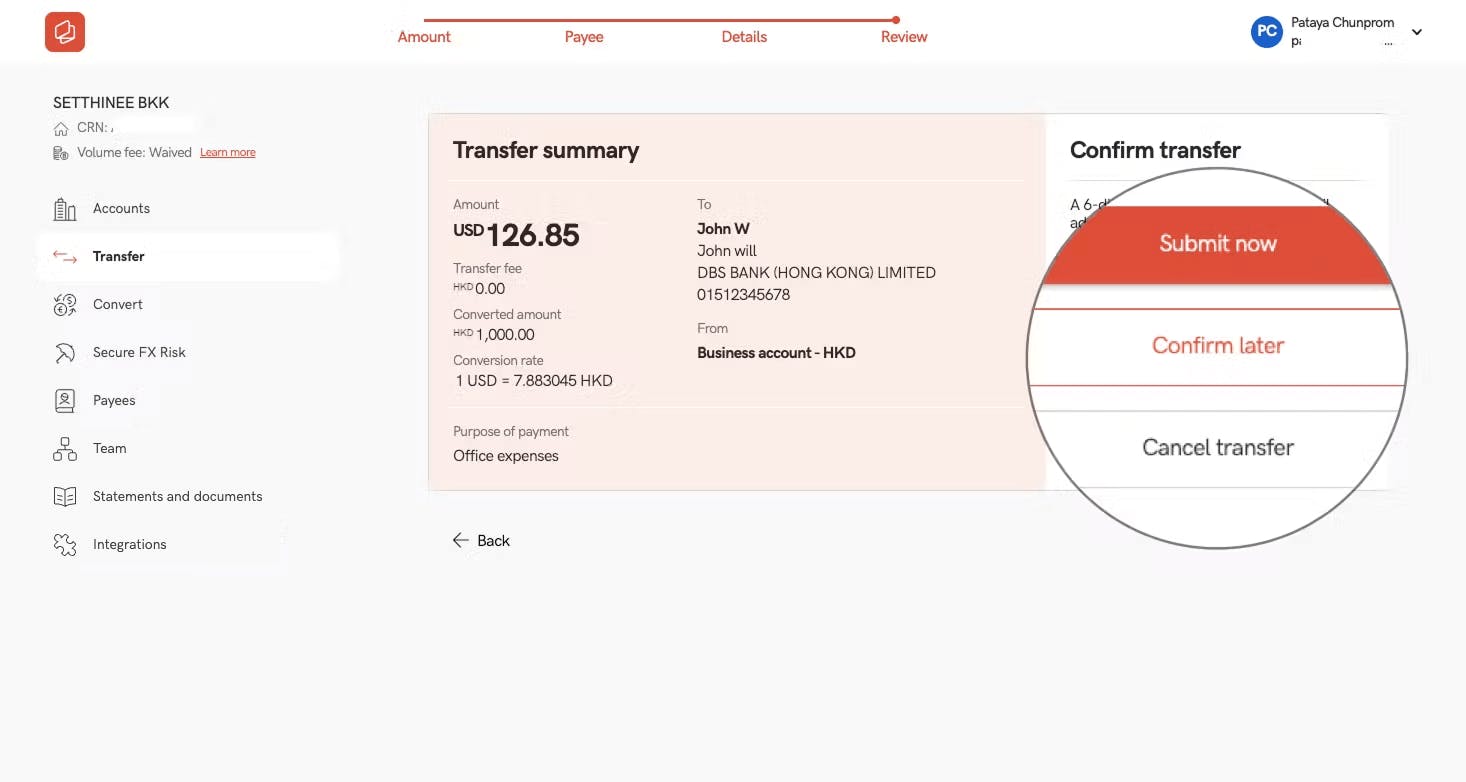
Note: Your payment amount and transfer fee are debited separately from your account, providing a clear breakdown of each charge.