Written by Bertrand Théaud, Statrys Founder
20+ years in Asia as a corporate lawyer, investor, and fintech founder. I've sat on both sides of the table and seen the same avoidable mistakes hit founders again and again. The reviews and articles I write are for founders who'd rather skip the mistakes.
Last reviewed May 2026.
Most comparisons of international money transfer apps rank them by a single metric — cheapest fees, fastest speed, most currencies. That framing sounds useful, but it answers the wrong question.
The right app doesn’t exist. The right app for your transfer does. The answer depends on three things: who you’re sending to, how much you’re sending, and how your recipient needs to receive the funds. An app that’s cheap for a $200 remittance to the Philippines will cost more than a bank on a $20,000 supplier payment to Germany. An app built for bank deposits is useless if your recipient needs cash pickup in rural Kenya.
In my experience advising Statrys clients on cross-border payments, the most common mistake isn’t picking the wrong exchange rate — it’s picking a tool designed for a different use case entirely and not realising it until the transfer is already sent.
This guide covers eight leading apps mapped to specific scenarios: personal remittances, multi-currency management, mobile wallet delivery to Africa, and large business transfers. Each app is matched to the situation where it genuinely wins, and where it doesn’t.
Research Disclosure
This guide is based on research conducted in May 2026, including a review of official pricing pages, independent user reviews on Trustpilot, and publicly available terms and conditions for each provider. All competitor data is sourced and dated. Pricing and features are subject to change; verify directly with the provider before making a transfer.
At a Glance
| Application | Best For | Transfer Fee | Speed |
|---|---|---|---|
| Remitly | Personal remittances | From $1.99–$4.99 | Minutes–3 days |
| Wise | Multi-currency use | From 0.57% | Instant–2 days |
| Revolut | Managing finances | From 0.15% + conversion fee | Instant–2 days |
| WorldRemit | Mobile transfers to Africa | From $1.99 | Minutes–1 day |
| OFX | Large business transfers | Included in exchange rate margin | 1–2 business days |
| Western Union | Global reach & cash pickup | From $1.99 | Minutes (cash)–few days (bank) |
| Xe Money Transfer | Large transfers & FX tools | $3–$4 under $1,000; $0 above | 1–4 business days |
| Xoom (PayPal) | PayPal users | Varies; higher with cards | Minutes–days |
📌Note: Fees are based on publicly available pricing as of May 2026. ‘From’ pricing indicates the minimum; actual costs depend on corridor, payment method, and transfer amount. Always verify using each provider’s fee calculator before transferring.

Transfer Fee vs. Exchange Rate Markup: Understanding the Real Cost
Every international transfer has two potential costs, but they are not always presented equally clearly.
Transfer fee: A flat or percentage charge shown before you confirm the transfer. Visible and easy to compare across providers.
Exchange rate markup: Not shown as a fee. Instead, the app quotes you a rate slightly higher than the mid-market rate — the interbank rate that currencies actually trade at, which you can check on Google or Xe.com. You send the same amount, but your recipient receives less. The margin goes to the provider with no fee line shown.
Why it matters: a 1% markup on a $1,000 transfer costs $10, already more than a $4 flat fee at the real rate. On a $10,000 transfer, the same 1% costs $100. To check any app, compare the rate it offers against xe.com. The gap, multiplied by your transfer amount, is the markup cost.
| App Type | Fee Model | What to Watch For |
|---|---|---|
| Remittance-focused (Remitly, WorldRemit, Western Union) | Low flat fee + exchange rate markup | Rates often vary by delivery speed, transfer amount, and payment method |
| Fintech account (Wise, Revolut) | Percentage fee + near mid-market rate | Fees increase with transfer size; some providers offer free allowances but apply markups or fees beyond limits |
| FX-specialist (OFX, Xe) | No flat fee; margin built into the rate | Always compare the quoted exchange rate before sending |
1. Remitly: Best for Personal Remittances
Remitly is built specifically for people sending money home. It serves over 170 countries and is designed around the corridors where remittances are most common, including the US to the Philippines, India, Mexico, and beyond. What separates it from general-purpose transfer apps is the range of delivery options: bank deposit, cash pickup at around 470,000 locations, mobile wallet top-up (including GCash in the Philippines, UPI in India, OXXO in Mexico), and home delivery in selected countries.
Remitly is headquartered in Seattle and is licensed as a money transmitter in all US states where it operates.
Recently, Remitly expanded its offering to include digital wallets for storing balances; however, it’s available by invitation and only for Remitly customers sending money from the US. If you’re interested, you can join their waitlist.
✅ Pros
- Wide delivery options: bank, cash, mobile wallet, home delivery
- 170+ countries supported
- Tailored to local payment systems (GCash, UPI, OXXO)
- On-time delivery guarantee with a fee refund
❌ Cons
- Cannot hold funds (wallets are not yet fully launched)
- Cannot receive money with personal accounts
- Fewer tools for business use or FX management
- The fee calculator shows a promotional rate by default, which can mislead about the ongoing costs
Remitly Fees
| Transfer fee | $1.99–$4.99; fees vary by destination and delivery method |
|---|---|
| First transfer | Fee waived for first eligible transfer (T&C apply) |
| Exchange rate | Remitly adds a margin above the mid-market rate; the rate shown includes this markup |
| Express vs Economy | Express transfers are faster but carry a higher fee or worse exchange rate |
| On-time delivery guarantee | Remitly will refund your fee if an eligible transfer is not delivered on time |
Who Should Use Remitly?
✅Anyone sending money to family abroad via bank deposit, cash pickup, or mobile wallet.
✅Anyone who wants delivery guarantees and route-specific optimisation.
❌Freelancers or businesses needing multi-currency wallets, FX management, or the ability to hold balances.
Insight from a Remitly customer

Can you share your experience using Remitly?
What do you think are the pros and cons of Remitly?
2. Wise: Best for Multi-Currency Use
Wise, formerly known as TransferWise, is a widely used money transfer app that allows both individuals and businesses to hold and send money internationally with competitive fees.
Wise is licensed in the US, UK, EU, Australia, Singapore, Hong Kong, and several other markets. Beyond transfers, it offers a multi-currency account where users can hold, exchange, and receive money in 40+ currencies, useful for freelancers invoicing in USD and GBP, or small businesses paying suppliers in multiple currencies.
✅ Pros
- Multi-currency wallet for holding and receiving money
- Clean app and web interface
- Business accounts available with batch payment capability
❌ Cons
- A percentage fee might mean a higher cost on large transfers
- Recipient needs a bank account — no cash pickup
- Fees vary by currency pair and can be higher on less common routes
Wise Fees
| Transfer fee | Percentage of amount sent, starting from 0.57% (US) or 0.33% (UK); exact rate depends on currency pair and payment method |
|---|---|
| Exchange rate | Mid-market rate with a percentage fee depending on location. |
| High-volume discount |
In certain countries, a discount may apply depending on the transfer amount. For example:
|
| Getting account details (24 currencies) |
Depends on the location and account type. For example:
|
| Wise debit card |
|
Who Should Use Wise?
✅Freelancers and small businesses managing payments in multiple currencies, or anyone who wants full fee transparency.
✅Expats receiving a salary in a foreign currency and converting it home.
❌Senders who need cash pickup or mobile wallet delivery — Wise pays to bank accounts only.
Insight from a Wise customer

Can you share your experience using Wise?
Would you recommend Wise to others?
🔎Interested in Wise for business? Discover key things to know before opening a Wise Business account.
3. Revolut: Best for Managing Finance
Revolut is a financial platform that goes well beyond money transfers. It offers multi-currency accounts, stock trading, cryptocurrency, savings vaults, budgeting tools, and a debit card. The international transfer feature sits inside this broader product, which makes it the good choice for someone who wants one app for everything financial, not just transfers.
Revolut holds a banking licence in the European Economic Area (EEA) and in the UK (successfully launched a UK bank on 11 March 2026). In the US, it operates as a financial technology company partnered with a licensed bank. It serves over 70 million customers worldwide.
✅ Pros
- All-in-one financial app: transfers, budgeting, investing, savings
- Multi-currency account with a debit card
- Business accounts available
❌ Cons
- Primarily designed for mobile use, with limited desktop functionality.
- No cash pickup option
- Some key features require premium plans to unlock full benefits.
🔎Tip: Learn how to open a Revolut personal account online.
Revolut US Personal Account Plans and Fees
| Type of Fee | Plans & Amount |
|---|---|
| Monthly Fee |
Standard: $0 Premium: $9.99 Metal: $16.99 Business: $10 – $140 or custom |
| Currency Exchange (Business) |
Interbank rate for $1K–$80K/month (tiered) Then 0.6% top-up or 1% outside market hours |
| International Transfers |
Standard: 0.15% + conversion fee Premium: 20% off fees Metal: 40% off fees Business: Free up to 25/month (tiered), then $5 |
| ATM Withdrawals |
Personal: No fee within Revolut ATM network (third-party fees may apply) Business: 2% |
Who Should Use Revolut?
✅Frequent travellers and digital nomads who want a single app for spending, saving, and sending internationally.
✅Anyone who regularly exchanges currency and wants a multi-currency debit card.
❌Occasional senders who just need to send money home. Fees and features are excessive for simple remittances. Not suitable if the recipient needs cash pickup.
Insight from a Revolut customer

Can you describe your experience using Revolut while working in London?
How does Revolut compare to traditional banking services you've used in the past?
Would you recommend Revolut to others living and working abroad?
📖Relevant: For a detailed breakdown of Revolut for business use, see our Revolut Business account review.
4. WorldRemit: Best for Mobile Wallet Delivery to Africa
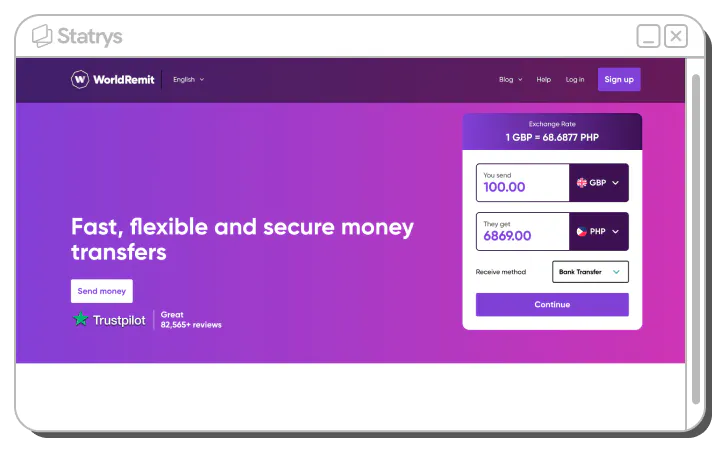
WorldRemit is a UK-founded money transfer service across Southeast Asia and Latin America, with particularly strong coverage in African corridors (Kenya, Ghana, Nigeria, Uganda). This makes WorldRemit a preferred option for senders transferring to those regions.
WorldRemit supports bank deposits, cash pickup, mobile money transfers, and airtime top-ups (adding mobile credit directly to a recipient's phone). The mobile money option is widely used in markets like Kenya (M-Pesa), Uganda (MTN Mobile Money), and Ghana (MTN Mobile Money), where bank access is limited.
✅ Pros
- Strong coverage across most African countries
- Mobile money support for M-Pesa, MTN, and other wallets
- Cash pickup at multiple local agents in the destination country
❌ Cons
- In some countries, only airtime top-ups are available despite many listed payout methods
- Limited financial services beyond money transfers compared to some competitors.
WorldRemit Fees
| Type of Fee | Details |
|---|---|
| Transfer Fee |
Starting from $1.99 Final fee depends on sender location, recipient country, currency, and payment method |
| Exchange Rate |
WorldRemit applies a markup above the mid-market rate The exact amount received is shown before confirming the transfer |
⚠️Important: WorldRemit states that the first transfer receives a better exchange rate, but the details of the promotion are not disclosed on the website.
Who Should Use WorldRemit?
✅ Senders remitting to Africa, Southeast Asia, or Latin America who need mobile money or cash pickup delivery.
✅ Anyone whose recipient uses M-Pesa or a regional mobile money wallet.
❌ Business payments, high-value transfers, or anyone needing a multi-currency account.
Insight from a WorldRemit customer
Unlike other similar services, WorldRemit is extremely reliable and trustworthy. I have been using it for five years and can say that I like it for its fastness and expediency. Moreover, the app is excellent and well-designed.”Good exchange rate, Simple app to navigate, plenty of information about progress of transaction and fast collection availability.
5. OFX: Best for Large Business Transfers
OFX is an FX specialist regulated by FinCEN and state regulations in the US, with over 20 years of experience serving businesses, sole traders, and individuals making large international transfers. OFX also offers rate-management tools, including limit orders (transferring when your target rate is reached) and forward contracts (locking in rates on future transfers). These features are particularly useful for managing FX exposure.
✅ Pros
- No maximum transfer limit — suitable for large business transfers.
- FX management tools, including limit orders and forward contracts
- Dedicated account managers for business clients.
❌ Cons
- No cash pickup or mobile wallet options — bank transfer only.
- Minimum transfer of $150 may not be suitable for small personal transfers.
- Multi-currency wallets for business are not available for new clients in some locations.
📌Important: As of May 2026, OFX's multi-currency wallets (Global Currency Account) for businesses is no longer available for new business clients in some countries, including Singapore. Please check with OFX for the latest information.
OFX Fees
| Type of Fee | Details |
|---|---|
| Transfer Fee (US) | Included in the FX margin (no separate transfer fee) |
| Monthly Fee |
Personal: No monthly fee Business: $15–25, or custom pricing |
| Exchange Rate |
OFX applies a margin above the mid-market rate The exact margin is not disclosed on the website |
Who Should Use OFX?
✅Businesses and individuals making large international transfers who want FX tools and no flat fee.
✅Companies with regular cross-border payments who want to lock in exchange rates in advance.
❌ Small or low-value transfers where the minimum and rate margin aren’t competitive.
❌ Cash pickup or mobile wallet delivery
Insight from an OFX Customer

6. Western Union: Best for Global Reach and Cash Pickup
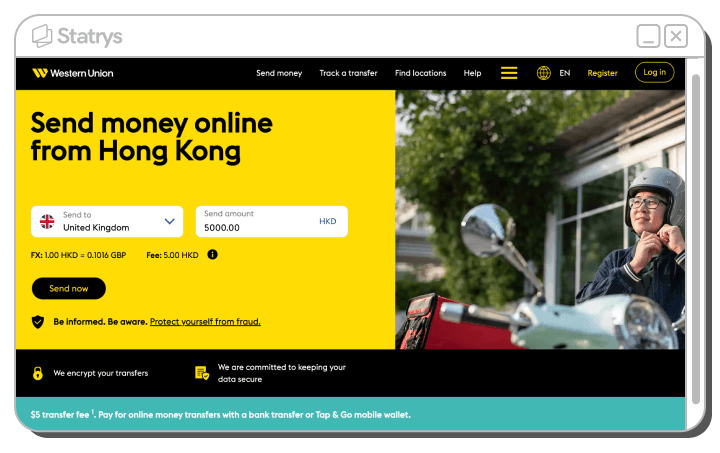
Western Union is the most widely distributed money transfer service in the world, operating in over 200 countries and territories with a vast network of agents located in pharmacies, supermarkets, convenience stores, and post offices. If your recipient doesn’t have a bank account, is in a remote area, or simply prefers to collect cash in person, Western Union is the most practical option.
✅ Pros
- 200+ countries and territories — the broadest global reach
- 470,000+ agent locations for in-person cash pickup
- Available both online (app or web) and in person at agent locations
❌ Cons
- Personal use only — not for business payments
- Cannot hold or receive money in an account.
- Transfer limits may be low for certain destination countries and methods, compared to other providers
Western Union Fees
| Type of Fee | Details |
|---|---|
| Transfer Fee |
Starting from $1.99 First transfer is free (promotional) |
| Exchange Rate |
Western Union applies a margin above the mid-market rate Rates vary by corridor, payment method, and delivery type |
Who Should Use Western Union?
✅ Individuals sending money to recipients without bank accounts, or in countries where fintech apps have limited coverage.
✅ Anyone who prefers in-person service or needs a cash pickup option in a specific town or village.
❌ Business payments. Not the best choice on cost if fintech alternatives serve your corridor.
Insight from a Western Union customer
As an international student from the UK, I've used Western Union to transfer money from Thailand to the UK, and personally, the experience has been quite satisfactory. The process is straightforward, and what I find really convenient is the fact that Western Union has a wide global presence.

Can you describe your overall experience using Western Union for international money transfers?
How does Western Union compare to other money transfer services you’ve used or considered?
7. Xe Money Transfer: Best for FX Tools
Xe Money Transfer is part of Euronet Worldwide and sits alongside xe.com — one of the most visited currency exchange reference sites in the world. It combines brand recognition and rate-tracking tools with a transfer service that handles large amounts across a wide range of currencies.
Xe does not charge a flat fee on transfers above approximately $1,000 — the cost is factored into the exchange rate. For smaller amounts (under $1,000 from the US), a fee of roughly $3–$4 applies. The platform includes live rate alerts, historical rate charts, and a rate calculator, tools most useful for expats, investors, and businesses timing their conversions.
Xe offers services to customers in some locations, including the US, Canada, Australia, New Zealand, and Europe.
✅ Pros
- No flat fee on large transfers
- 470,000+ cash pickup locations in select markets
- Rate alerts and historical charts included
❌ Cons
- Fee applies to smaller transfers (under ~$1,000)
- Cannot hold or receive money in a personal account.
- Service is limited to the US, Canada, and Europe
Xe Money Transfer Fees
| Type of Fee | Details |
|---|---|
| Transfer Fee (Under ~$1,000) | Approximately $3–$4 for transfers below the threshold |
| Transfer Fee (Above Threshold) |
$0 flat fee Cost is built into the exchange rate |
| Exchange Rate | Xe applies a margin above the mid-market rate |
Who Should Use Xe Money Transfer?
✅Expats, investors, and businesses making large or frequent high-value international transfers who benefit from FX tracking tools.
✅ Anyone sending to a corridor where Xe has cash pickup coverage.
❌ Small, low-value transfers — the flat fee makes this less competitive for amounts below $1000.
❌ Senders outside the US, Canada, Australia, New Zealand, or Europe.
Insight from a Xe Money Transfer customer

8. Xoom (a PayPal Service): Best for PayPal Users
Xoom is PayPal’s dedicated international money transfer product. It integrates directly with PayPal accounts, which means if you already use PayPal for online payments, you can send money internationally without setting up a separate account. Funding with your PayPal balance or a linked bank account can bring the transfer fee to $0 on some routes.
Xoom is available to senders in the US, Canada, the UK, and the EEA. It supports bank deposits, cash pickup, mobile wallet delivery, and a bill payment feature (paying utility bills in select countries) that most competitors do not offer.
✅ Pros
- Seamless integration with existing PayPal accounts
- Bill payment feature for utilities in select countries
- The recipient does not need a bank account
❌ Cons
- Services is limited to the US, Canada, the UK, and the EEA
- Exchange rate markup can make it expensive, depending on the route
- Higher transfer fees compared to competitors
Xoom Fees
Xoom displays estimated fees and exchange rates on their fee calculator, which vary by destination country, amount, payment method, and receiving method. Payments made by card carry higher fees than PayPal balance funding. For reference: sending $100 to some countries can cost $0 with a PayPal balance, while debit card payments start at $1.59, and credit card payments start around $6.99.
Who Should Use Xoom?
✅ Existing PayPal users who want an easy way to send money internationally without a separate account.
✅ Senders who need to pay bills internationally — a feature not widely available on competing apps.
❌Senders outside the US, Canada, UK, and EEA.
❌ Anyone where exchange rate transparency is a priority. Xoom earns primarily through the rate margin.

Final Note: When a Consumer App Isn’t Enough
The right app depends on your corridor, transfer size, and delivery method. Here’s how the eight apps map to the most common scenarios:
Personal remittances: Remitly works best for Southeast Asia, India, and Central America. WorldRemit is the stronger choice for Africa, particularly for M-Pesa and MTN Mobile Money corridors.
Multi-currency management: Wise offers the mid-market rate with fees shown upfront, the most transparent option for anyone managing multiple currencies. Revolut is useful as an all-in-one finance app if you want budgeting, investing, and transfers in one place.
Large or business transfers: OFX and Xe are better suited, with no flat fees on higher amounts and tools to manage FX exposure. Xoom is convenient if you already use PayPal.
If you’re managing cross-border SME payments — paying suppliers in Asia, invoicing clients in USD and EUR, running operations across multiple currencies — the tools above are designed for individual remittances, not business payment workflows. The requirements are different: multiple currency wallets, competitive FX on mid-market rates, a dedicated account manager, and a platform that integrates payment and business services.
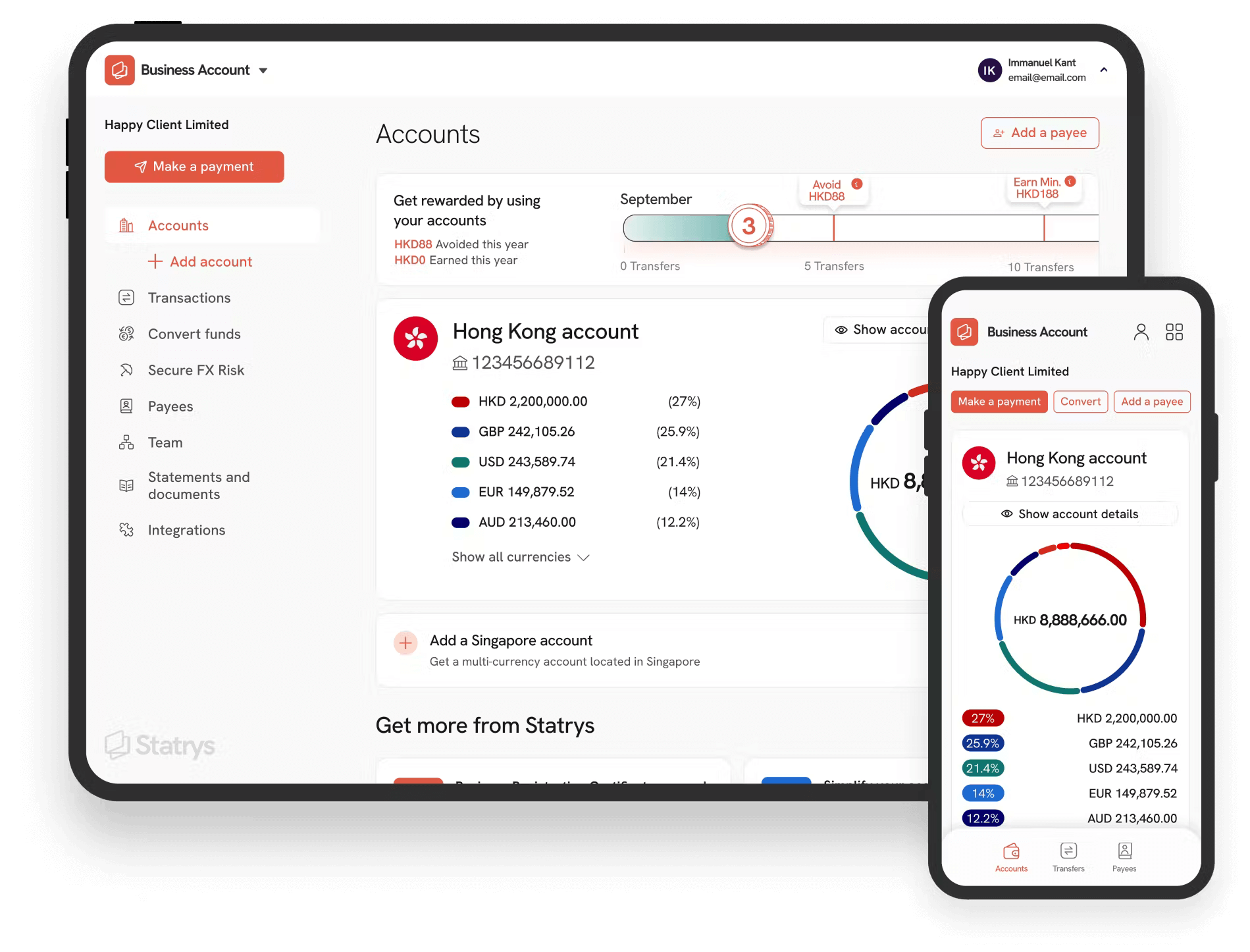
Statrys is a MAS-licensed Major Payment Institution built for that use case. What we offer for SMEs:
- A multi-currency business account holding 11+ currencies, including SGD, USD, EUR, GBP, and HKD
- FX fees from 0.1% above the real-time mid-market rate
- International transfers to 100+ countries
- A dedicated account manager from day one
Over 10,000 SMEs in HK and SG use Statrys to manage cross-border operations, with $7 billion+ in transfers processed. 96% of clients open their accounts within 3 business days.
Was this article helpful?
Yes
No
FAQs
What is the best international money transfer app in 2026?
The best app depends on what you need. Remitly is the top choice for personal remittances — sending money to family abroad via bank, cash, or mobile wallet. Wise is best for transparent fees and multi-currency use. WorldRemit stands out for mobile money delivery to Africa and Southeast Asia. For large business transfers, OFX and Xe offer better rates and no flat fees. There is no single ‘best’ app — the right answer depends on your destination, amount, and how the recipient needs to receive the funds.
Is Wise actually free for international transfers?
What are the most cost-effective international transfer apps?
What is the difference between a transfer fee and an exchange rate markup?
Which app is best for sending money to family abroad?
Can I use these apps for business payments?
How long does an international money transfer take?
Disclaimer
Some of the links in this article may be affiliate links, which means we may receive a small commission, at no additional cost to you, if you decide to make a purchase through one of our recommended partners. We only recommend products and services we trust and believe will be beneficial to our readers. This helps support our efforts in bringing you valuable content. Thank you for your support!